From Notebook to Project
- Time
- ~76 min
- Sections
- 7
- Code cells
- 25
- Labs
- 4
- Figures
- 1
Before you start
You turn Lessons 2.1–2.3 into a small repository someone else can clone, install, test and run without opening a notebook:
code extracted into importable modules under src/, every experiment described by a YAML config, seeds (and what they
cannot promise), six tests that train nothing, training started from a terminal with
python -m src.training.train --config configs/baseline.yaml, and git that a reviewer can read: a .gitignore that does not
eat your source code, one change per commit, and a README.
- Goal
Turn the work of Lessons 2.1–2.3 into a project another person can clone, install, run, test, inspect, and reproduce — without opening the training notebook.
In plain English: a notebook is where we explored the model; this project is where we package the model so that another person can run the same workflow using a command such as:
python -m src.training.train --config configs/baseline.yaml- Outcome
By the end of this lesson, the generated repository contains reusable Python modules, configuration files, tests, dependency instructions, a README, and Git rules. It also produces a saved model checkpoint and a JSON record describing the run.
- You will be able to
- explain why a notebook is excellent for exploration but weak as the main software deliverable;
- create an isolated Python environment and understand why dependencies must be recorded;
- explain the difference between a direct dependency (a package your project explicitly needs) and a transitive dependency (a package pulled in by another package);
- extract data, model, training, evaluation, and inference code into importable modules under
src/; - move run-specific values such as learning rate and hidden-layer sizes into YAML configuration files;
- seed the random-number generators used by the project and understand that seeding is not a guarantee of bit-for-bit identity on every platform;
- run training from a terminal and save the resulting model and experiment record;
- write fast tests that catch shape and interface mistakes without training a neural network;
- use
.gitignoreso generated data/checkpoints do not accidentally become source-controlled files; - structure commits and a README so another person can understand the project without asking the author.
- Runtime
Section Approximate time Sections 1–4 — writing files under 5 s total Section 5 — the command-line training run ~30 s (plus download on a cold start) Section 6 — git operations under 5 s Total is roughly one minute, most of it the training run.
Purpose of this lesson: turn the exploratory work from Lessons 2.1–2.3 into a small, reproducible machine-learning project.
This lesson is written to be read from top to bottom without a separate guide. Whenever a technical term appears, the note explains what it means, why it matters, and how it appears in the code.
How this lesson works — and an important limitation
This notebook creates a real project on disk. Cells containing %%writefile write actual Python/config/text files into bank_marketing_project/, and later cells execute those files.
If you are on Colab or Kaggle, the runtime filesystem can disappear when the session ends. The notebook therefore creates a ZIP archive near the end. Download that archive before closing the session if you are not working on a persistent local machine.
How to read the code
For every important module, read in this order:
- What is this file responsible for?
- What goes into it?
- What comes out?
- Which assumptions must stay true?
- Which test or configuration protects that assumption?
That habit is the main engineering skill this lesson is teaching.
Quick glossary before we start
| Term | Plain-English meaning |
|---|---|
| Notebook | Interactive document containing code, prose, and outputs. |
| Module | A reusable Python file, usually a .py file. |
| Package | A collection of Python modules that can be imported together. |
| Dependency | Software the project needs in order to run. |
| Configuration | Settings that define a particular run without changing the algorithm. |
| Checkpoint | A saved model/training state. |
| Inference | Using a trained model to produce predictions. |
| Unit test | A small automated check of one software contract. |
| Reproducibility | Making the conditions and procedure of a run explicit enough to recreate and understand it. |
| Target leakage | Giving the model information that would not be available when the real prediction is made. |
Why the notebook is not the deliverable
A notebook is a sequence of cells, but the order in which cells are displayed is not the same thing as the order in which they were executed. You can run cell 8 before cell 3, change a variable, and leave outputs from an earlier state visible.
Hidden state
Hidden state means that the result of a cell depends on information created or changed somewhere else in the session. The following tiny example demonstrates the problem.
The function below does not store its threshold inside the function. It reads the global variable threshold. If another cell changes that variable, the same function call can return a different answer.
Plain-English lesson: a saved notebook does not automatically tell a reviewer which sequence of state changes produced its visible outputs.
threshold is set to 0.5 and classify(0.6) is called. Then threshold becomes 0.9 and the same call runs again. What do the two calls return?
yes, then no. A function body looks up global names when it runs, not when it is defined. classify never captured 0.5;
it reads whatever threshold holds at call time. The function did not change, the notebook's state did.
# A concrete demonstration of hidden state, in miniature.threshold = 0.5def classify(p): """Label a probability "yes" or "no" by comparing it with the global ``threshold``. Deliberately written to read a global variable: its answer depends on whatever ``threshold`` holds when it is *called*, which is the hidden-state problem this section demonstrates. Args: p: A predicted probability between 0 and 1. Returns: ``"yes"`` if ``p >= threshold``, otherwise ``"no"``. Raises: NameError: If no global ``threshold`` has been defined yet. """ return "yes" if p >= threshold else "no" # closes over a globalprint(f"classify(0.6) with threshold={threshold} -> {classify(0.6)}")threshold = 0.9 # imagine this is a cell you ran, then scrolled pastprint(f"classify(0.6) with threshold={threshold} -> {classify(0.6)}")print()print("The function's behaviour changed without the function changing.")print("Re-run the cells in a different order and you get a different answer.")print("Nothing in the notebook records which order produced your saved output.")classify(0.6) with threshold=0.5 -> yes classify(0.6) with threshold=0.9 -> no The function's behaviour changed without the function changing. Re-run the cells in a different order and you get a different answer. Nothing in the notebook records which order produced your saved output.
Read the demonstration step by step
threshold = 0.5creates state outside the function.classify()reads that outside state.- The first call therefore uses
0.5and returnsyesfor0.6. - The notebook then changes
thresholdto0.9. - The function itself is unchanged, but the next call returns
no.
Engineering lesson: a function is easier to trust when its important inputs are explicit rather than hidden in notebook state.
Other reasons a notebook is a weak primary deliverable
1. Repeated experiments are awkward. If the learning rate is written directly inside a cell, comparing three learning rates often means editing and rerunning the notebook repeatedly. A configuration file lets the code stay fixed while the experiment changes.
2. Reuse is awkward. A colleague should be able to write from src.models.mlp import BankMLP rather than copy-paste a class from a notebook cell.
3. Review is noisy. .ipynb files store code, prose, outputs, execution counts, and metadata together. A tiny code change can therefore produce a large file diff.
Important nuance
This does not mean “never use notebooks.” The better rule is:
Use notebooks for exploration and communication; use modules for reusable logic and automation.
Restarting the kernel and running all cells fixes one important problem — stale execution order — but it does not by itself specify package versions, platform-specific dependencies, tests, configuration, or a clean command-line entry point.
# How much of a notebook file is actually code?candidates = [ Path("2.3_Building_and_Training_an_MLP.ipynb"), Path("2.2_Dataset_and_DataLoader.ipynb"),]nb_path = next((p for p in candidates if p.exists()), None)if nb_path is None: print("Run this note in the same folder as the Day 2 notebooks to see the numbers.")else: import nbformat nb = nbformat.read(nb_path, as_version=4) code_chars = sum(len(c.source) for c in nb.cells if c.cell_type == "code") md_chars = sum(len(c.source) for c in nb.cells if c.cell_type == "markdown") total_chars = nb_path.stat().st_size print(f"{nb_path.name}") print(f" file on disk : {total_chars / 1024:>9,.0f} KB") print(f" actual code : {code_chars / 1024:>9,.0f} KB " f"({100 * code_chars / total_chars:.1f}%)") print(f" prose : {md_chars / 1024:>9,.0f} KB " f"({100 * md_chars / total_chars:.1f}%)") print(f" outputs and metadata: {(total_chars - code_chars - md_chars) / 1024:>9,.0f} KB " f"({100 * (total_chars - code_chars - md_chars) / total_chars:.1f}%)") print() print("Most of the file is output. Every re-run changes it. That is your diff.")2.3_Building_and_Training_an_MLP.ipynb file on disk : 447 KB actual code : 37 KB (8.3%) prose : 30 KB (6.6%) outputs and metadata: 380 KB (85.1%) Most of the file is output. Every re-run changes it. That is your diff.
What this size comparison means
The exact percentages depend on the notebook file being inspected. The point is not the precise number; it is that notebook files can contain much more than source code. Outputs and metadata are part of the file and can change after rerunning cells.
A normal .py module contains mostly the code itself, so a reviewer can usually see a small, meaningful diff.
Give each tool the job it is good at
| Task | Notebook | Python module/project |
|---|---|---|
| Explore data | ✓ | |
| Plot and inspect results | ✓ | |
| Explain an experiment | ✓ | |
| Reusable logic | ✓ | |
| Automated testing | ✓ | |
| Run many configurations | ✓ | |
| Command-line execution | ✓ | |
| Code review with small diffs | ✓ |
A mature ML project commonly contains both: notebooks/ for exploration/reporting and src/ for code that the notebooks and command-line programs import.
classify(0.6) returns 'yes' and later 'no', although the function never changed. Why?
Its important input lives outside the function, in the notebook session. A saved notebook does not record which sequence of state changes produced its outputs.
Which task is a notebook still the better tool for?
Notebooks for exploration and communication; modules for reusable, testable, automatable logic.
Give two reasons why a notebook is not the deliverable of an ML project.
- Hidden state and execution order: outputs can come from cells run in a different order, so results are hard to reproduce or trust.
- Reuse, automation and review are awkward: you cannot cleanly import a class from a notebook, run many configs, or review diffs dominated by outputs and metadata.
Environments that reproduce
What does “reproducible” mean here?
It does not mean that every computer will necessarily produce identical floating-point bits. It means that we have made the important conditions of a run explicit enough that another person can recreate the same procedure and understand differences.
The main conditions are:
- Python/package versions;
- PyTorch build and hardware backend (CPU, CUDA, or Apple MPS);
- random seed;
- data preparation;
- model architecture;
- hyperparameters;
- code version.
Isolated environments
A virtual environment gives one project its own package installation instead of sharing a single global Python environment. venv is built into Python; uv is an alternative package/environment tool. Either is fine for this lesson.
The .venv/ directory is generated state, so we do not commit it. We commit the instructions for recreating it.
# Verify what you actually installed. Run this on any new machine before training.import torchprint(f"torch version : {torch.__version__}")print(f"CUDA build : {torch.version.cuda or 'none (CPU or MPS build)'}")print(f"CUDA available: {torch.cuda.is_available()}")print(f"MPS available : {torch.backends.mps.is_available()}")print()if "+cpu" in torch.__version__: print("This is a CPU-only build. If this machine has an NVIDIA GPU,") print("you installed the wrong wheel and training will be very slow.")elif torch.cuda.is_available(): print(f"CUDA build, {torch.cuda.get_device_name(0)} detected.")elif torch.backends.mps.is_available(): print("Apple Silicon build with Metal acceleration available.")torch version : 2.14.0 CUDA build : none (CPU or MPS build) CUDA available: False MPS available : True Apple Silicon build with Metal acceleration available.
Read the PyTorch check as four separate questions
torch.__version__→ Which PyTorch version is installed?torch.version.cuda→ Was this build compiled with CUDA support?torch.cuda.is_available()→ Can this machine currently use an NVIDIA CUDA device?torch.backends.mps.is_available()→ Can this machine use Apple's Metal/MPS backend?
These checks prevent a particularly frustrating situation: the program runs, but it silently falls back to CPU when you expected GPU acceleration.
Three ways to install the same PyTorch version
pip install torch==2.14.0Default index. A CUDA build on Linux, CPU-only on Windows, the MPS-capable build on Apple silicon.
--index-url …/whl/cu124A CUDA 12.4 build for NVIDIA GPUs, reported as 2.14.0+cu124.
--index-url …/whl/cpuCPU only, 2.14.0+cpu: smaller download, and silently slow on a GPU machine. The check cell catches it.
Why pip freeze is not automatically a good requirements.txt
pip freeze reports what is installed right now. That can include three different categories:
- Direct dependencies — packages the project intentionally uses, such as PyTorch or pandas.
- Transitive dependencies — packages installed because a direct dependency needs them.
- Unrelated experimental packages — things you installed temporarily while exploring.
For a small teaching project, listing the direct dependencies explicitly is easier for a reviewer to understand. Pin each package to a version that the project has actually been tested with.
Keep the pins in step with what you tested
A pinned version nobody actually ran is worse than no pin at all: it looks precise and is wrong. The versions written into requirements.txt in Section 6 are exactly the ones the next cell reports, the versions this project was run and tested with. If you change a version later, rerun the tests and the training first, and update the pin only after that.
Deep diveReading a version specifier, and where lock files fit
| Specifier | Means |
|---|---|
torch==2.14.0 |
exactly 2.14.0 (any build: +cpu, +cu124 also match) |
torch==2.14.0+cpu |
exactly the CPU build; PyPI never hosts +… builds, so this only installs from PyTorch's own index |
numpy>=2.3,<3 |
any 2.x from 2.3 on |
pandas~=2.3.3 |
"compatible release": ≥2.3.3 and <2.4 |
The +cpu part is a local version label: it names a build of the same release. Pinning the six direct dependencies, as this
lesson does, tells a reader what the project needs. A lock file (pip-compile from pip-tools, or uv lock) goes further and records
every transitive package with hashes, so two installs are byte-for-byte the same. Real projects often keep both: ranges for the direct
dependencies in pyproject.toml, exact versions in the lock file.
import numpy, pandas, sklearn, matplotlib, yamlprint("Direct dependencies actually used by this project:\n")for mod, name in [(torch, "torch"), (numpy, "numpy"), (pandas, "pandas"), (sklearn, "scikit-learn"), (matplotlib, "matplotlib"), (yaml, "pyyaml")]: version = getattr(mod, "__version__", "unknown") print(f" {name:<14} {version}")frozen = subprocess.run([sys.executable, "-m", "pip", "freeze"], capture_output=True, text=True).stdout.strip().splitlines()print(f"\npip freeze in this environment would list {len(frozen)} packages.")print(f"We need {6}. The other {len(frozen) - 6} are noise a reader must ignore.")Direct dependencies actually used by this project: torch 2.14.0 numpy 2.3.5 pandas 2.3.3 scikit-learn 1.7.2 matplotlib 3.10.0 pyyaml 6.0.3 pip freeze in this environment would list 419 packages. We need 6. The other 413 are noise a reader must ignore.
What the dependency table is teaching
The project uses a small set of packages deliberately. A dependency file should answer a simple question for a new contributor:
“What do I need to install for this project to work?”
It should not force them to reverse-engineer why hundreds of unrelated packages happen to exist in your personal environment.
-
torch==2.14.0andtorch==2.14.0+cpuare different strings. What happens when a colleague on a CUDA machine installs arequirements.txtcontaining the second one?+cpuis a local version label that names the CPU-only build. PyPI never hosts builds with a label, so on the default index pip stops with "No matching distribution found for torch==2.14.0+cpu". If your colleague does install it (from PyTorch's CPU index), they get a CPU-only PyTorch on a CUDA machine:torch.cuda.is_available()isFalse, nothing errors, and training silently runs on the CPU, many times slower. Either way the file has hard-coded your hardware into their install. Pintorch==2.14.0and choose the build with the platform's install command, as this lesson'srequirements.txtdoes. -
Pinning exact versions makes a project reproducible and makes it stale. What is the practical compromise, and how would you know when it is time to move the pins?
Separate the two jobs. Keep exact versions in a lock file for reproducibility, and keep ranges for the direct dependencies (in
pyproject.tomlorrequirements.in) to describe what the code actually needs. Then move the pins deliberately rather than by accident: on a schedule, or when there is a reason (a security advisory frompip-auditor Dependabot, a bug fix or feature you need, new hardware or CUDA, a Python version reaching end of life). Upgrade on a branch, run the tests and the baseline training, compare the new results JSON with the last one, and commit the new pins together with the evidence that nothing changed.
Why list direct dependencies in requirements.txt rather than pip freeze output?
The project used 6 packages; freeze listed 419. Pin each direct dependency to a version you actually ran and tested.
Why check torch.cuda.is_available() / torch.backends.mps.is_available() on a new machine?
The program still runs on the CPU, just far slower, and nothing warns you.
Extracting the notebook into modules
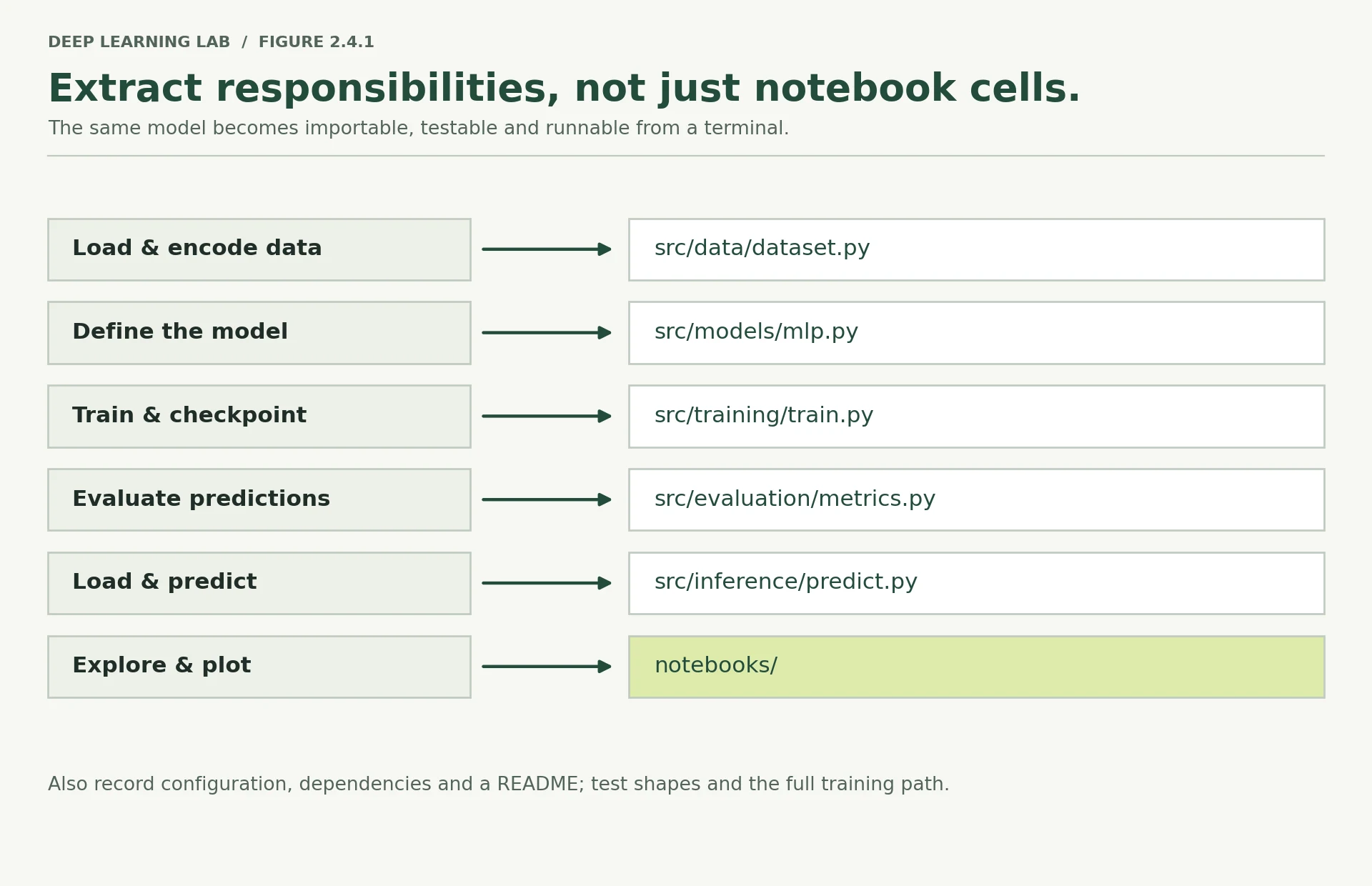
Now we build the thing. The structure below is the one Module 10 requires for the final portfolio artifact, so what you create here is the skeleton you will grow for the rest of the course.
%%writefile does not create parent directories, so the tree comes first.
# Start clean so this lesson is re-runnable.if PROJECT.exists(): shutil.rmtree(PROJECT)for folder in [ "src/data", "src/models", "src/training", "src/evaluation", "src/inference", "notebooks", "tests", "configs", "app", "data", "checkpoints",]: (PROJECT / folder).mkdir(parents=True, exist_ok=True)# Python needs __init__.py to treat a directory as a package.for pkg in ["src", "src/data", "src/models", "src/training", "src/evaluation", "src/inference"]: (PROJECT / pkg / "__init__.py").touch()(PROJECT / "tests" / "__init__.py").touch()for path in sorted(PROJECT.rglob("*")): depth = len(path.relative_to(PROJECT).parts) - 1 marker = "/" if path.is_dir() else "" print(f"{PROJECT.name}/" if depth < 0 else " " * depth + f" {path.name}{marker}") app/
checkpoints/
configs/
data/
notebooks/
src/
__init__.py
data/
__init__.py
evaluation/
__init__.py
inference/
__init__.py
models/
__init__.py
training/
__init__.py
tests/
__init__.py
The data module
Everything Lesson 2.2 did to get from a CSV to float32 arrays, in one importable file. It downloads
if it must, caches if it can, and returns the same splits Lesson 2.3 trained on.
%%writefile bank_marketing_project/src/data/dataset.py"""Load, split and encode the UCI Bank Marketing dataset.Extracted from Module 2 Lesson 2.2. The `duration` column is dropped as a target leak:it is only known after the outcome it predicts."""from __future__ import annotationsimport urllib.requestimport zipfilefrom pathlib import Pathimport numpy as npimport pandas as pdimport torchfrom sklearn.model_selection import train_test_splitfrom sklearn.preprocessing import StandardScalerfrom torch.utils.data import DataLoader, TensorDatasetBANK_URL = "https://archive.ics.uci.edu/static/public/222/bank+marketing.zip"LEAKY_COLUMNS = ["duration"]def download(data_dir: Path) -> Path: """Fetch ``bank-full.csv`` into ``data_dir`` unless it is already there. The UCI archive nests a second zip, so both are downloaded and unpacked, the CSV is kept, and the two archives are deleted. Later calls return the cached file at once. Args: data_dir: Folder to cache the dataset in; created if it does not exist. Returns: Path to ``bank-full.csv``. Raises: urllib.error.URLError: If the file is missing and UCI cannot be reached. KeyError: If the archive no longer contains the expected files. """ data_dir = Path(data_dir) data_dir.mkdir(parents=True, exist_ok=True) csv_path = data_dir / "bank-full.csv" if csv_path.exists(): return csv_path outer = data_dir / "bank+marketing.zip" urllib.request.urlretrieve(BANK_URL, outer) with zipfile.ZipFile(outer) as z: z.extract("bank.zip", data_dir) with zipfile.ZipFile(data_dir / "bank.zip") as z: z.extract("bank-full.csv", data_dir) outer.unlink() (data_dir / "bank.zip").unlink() return csv_pathdef load_splits(data_dir: Path, seed: int = 42) -> dict: """Load Bank Marketing and return encoded, scaled train/validation/test arrays. Drops the leaky ``duration`` column, makes a stratified 70/15/15 split with the given seed, one-hot encodes the categorical columns and standardises the numeric ones. Encoding columns and scaling statistics come from the training split only, and validation and test are forced onto the same columns. Args: data_dir: Folder holding (or to receive) ``bank-full.csv``. seed: Random seed for both splits, so the same seed gives the same rows. Returns: A dict with float32 feature matrices ``X_train``, ``X_val``, ``X_test``, int64 label vectors ``y_train``, ``y_val``, ``y_test`` (1 = subscribed) and the list of encoded column names ``feature_names``. """ df = pd.read_csv(download(data_dir), sep=";").drop(columns=LEAKY_COLUMNS) y = (df.pop("y") == "yes").astype(np.int64).values numeric = [c for c in df.columns if df[c].dtype.kind in "iuf"] categorical = [c for c in df.columns if c not in numeric] X_tr, X_tmp, y_tr, y_tmp = train_test_split( df, y, test_size=0.30, stratify=y, random_state=seed) X_va, X_te, y_va, y_te = train_test_split( X_tmp, y_tmp, test_size=0.50, stratify=y_tmp, random_state=seed) train_ohe = pd.get_dummies(X_tr, columns=categorical) names = list(train_ohe.columns) scaler = StandardScaler().fit(train_ohe[numeric]) def encode(frame: pd.DataFrame) -> np.ndarray: """Encode one split exactly like the training split. Args: frame: Feature rows from one split of the original DataFrame. Returns: A float32 array whose columns match the training one-hot columns (missing categories filled with 0), with numeric columns standardised by the training scaler. """ out = (pd.get_dummies(frame, columns=categorical) .reindex(columns=names, fill_value=0) .astype(np.float32)) out[numeric] = scaler.transform(out[numeric]).astype(np.float32) return out.values.astype(np.float32) return { "X_train": encode(X_tr), "y_train": y_tr, "X_val": encode(X_va), "y_val": y_va, "X_test": encode(X_te), "y_test": y_te, "feature_names": names, }def make_loaders(splits: dict, batch_size: int = 256, eval_batch_size: int = 1024): """Wrap encoded arrays in DataLoaders for training, validation and test. Labels are converted to float and reshaped to ``(N, 1)`` so they match the model's one-logit output and ``BCEWithLogitsLoss``. Only the training loader shuffles. Args: splits: The dict returned by ``load_splits``. batch_size: Rows per training batch. eval_batch_size: Rows per validation/test batch (larger: no gradients are kept). Returns: A tuple ``(train_loader, val_loader, test_loader)``. """ def build(X, y, bs, shuffle): """Build one DataLoader over a ``TensorDataset``. Args: X: Float32 feature matrix of shape ``(N, F)``. y: Integer label vector of shape ``(N,)``. bs: Batch size. shuffle: Whether to reshuffle the rows every epoch. Returns: A ``DataLoader`` yielding ``(x, y)`` with ``y`` shaped ``(batch, 1)``. """ ds = TensorDataset( torch.from_numpy(X), torch.from_numpy(y).float().unsqueeze(1), ) return DataLoader(ds, batch_size=bs, shuffle=shuffle) return ( build(splits["X_train"], splits["y_train"], batch_size, True), build(splits["X_val"], splits["y_val"], eval_batch_size, False), build(splits["X_test"], splits["y_test"], eval_batch_size, False), )Everything from raw CSV to model-ready arrays, in one importable file. Every learned statistic comes from the training split.
- 1
Call length is only known after the call, when the outcome is already known. Keeping it would leak the answer.
- 2
Download only once; later runs reuse the cached CSV.
- 3
70% train, 30% held back, with the 11.7% positive rate kept in both parts. The seed makes the split repeatable.
- 4
Half of the 30% becomes validation, half test: 70/15/15 overall.
- 5
Means and standard deviations come from training rows only; validation and test are transformed with them.
- 6
Forces every split onto the training columns: a category missing from a split becomes a column of zeros, an unseen one is dropped.
- 7
Labels become float and
(N, 1), matching the model's(N, 1)logits forBCEWithLogitsLoss.
Writing bank_marketing_project/src/data/dataset.py
Data-module walkthrough
This file has one job: turn raw UCI data into consistent model-ready arrays.
download()downloads the archive only when the CSV is missing and then caches the CSV locally.LEAKY_COLUMNS = ["duration"]removes a feature that is only known after the outcome. Using it would leak information from the future into the prediction.train_test_split(..., stratify=y)creates train/temporary splits while preserving the class ratio approximately.- A second split divides the temporary data into validation and test sets.
pd.get_dummies()converts categorical values into numerical indicator columns.reindex(columns=names, fill_value=0)forces validation/test to use exactly the training feature columns.StandardScaler().fit(...)learns scaling statistics from training data only. Validation and test are transformed using those already-learned statistics.make_loaders()converts NumPy arrays to tensors and groups them into mini-batches. Labels become shape(N, 1)so they match the model's(N, 1)logits.
The model module
BankMLP and DenseBlock from Lesson 2.3, unchanged.
%%writefile bank_marketing_project/src/models/mlp.py"""The MLP from Module 2 Lesson 2.3.The head emits raw logits. Do not add a sigmoid here -- BCEWithLogitsLossapplies it internally in a numerically stable way."""from __future__ import annotationsimport torch.nn as nnclass DenseBlock(nn.Module): """A reusable ``Linear → ReLU`` building block (unchanged from Lesson 2.3). Packaging the repeated motif once lets ``BankMLP`` describe any depth as a stack of blocks. """ def __init__(self, in_features: int, out_features: int): """Create the linear layer and its activation. Args: in_features: Width of the block's input. out_features: Width of the block's output. """ super().__init__() self.linear = nn.Linear(in_features, out_features) self.act = nn.ReLU() def forward(self, x): """Apply the linear layer, then ReLU. Args: x: Input of shape ``(N, in_features)``. Returns: Activations of shape ``(N, out_features)``. """ return self.act(self.linear(x))class BankMLP(nn.Module): """Configurable-depth MLP for binary classification on tabular data. A stack of ``DenseBlock`` layers whose widths come from ``hidden_sizes``, then a linear head that returns raw logits. Because the widths are an argument, depth and width are set by the config file rather than by editing code. Attributes: blocks: ``nn.ModuleList`` of ``DenseBlock`` layers (registered, so the optimizer sees them). head: Final ``nn.Linear`` producing ``out_features`` logits per row. """ def __init__(self, in_features: int, hidden_sizes=(64, 32), out_features: int = 1): """Build the blocks and the output head. Args: in_features: Number of input features (50 after encoding). hidden_sizes: Width of each hidden layer, in order, e.g. ``(64, 32)``. out_features: Number of outputs; 1 for a single binary logit. """ super().__init__() sizes = [in_features, *hidden_sizes] self.blocks = nn.ModuleList( DenseBlock(sizes[i], sizes[i + 1]) for i in range(len(hidden_sizes)) ) self.head = nn.Linear(sizes[-1], out_features) def forward(self, x): """Run the input through every block, then the head. Args: x: Input of shape ``(N, in_features)``. Returns: Raw logits of shape ``(N, out_features)``. No sigmoid: ``BCEWithLogitsLoss`` applies it internally, and ``predict_proba`` applies it for scoring. """ for block in self.blocks: x = block(x) return self.head(x)def count_parameters(model: nn.Module) -> int: """Count every parameter element in a model. Args: model: Any ``nn.Module``. Returns: The total number of elements across ``model.parameters()`` (trainable or not). Layers that were never registered are not counted, which is what the parameter-count test relies on. """ return sum(p.numel() for p in model.parameters())Writing bank_marketing_project/src/models/mlp.py
Model-module walkthrough
DenseBlock is a small abstraction for the repeated pattern Linear → ReLU.
BankMLP builds as many of those blocks as hidden_sizes requests. For example, hidden_sizes=(64, 32) means:
input features → 64 → ReLU → 32 → ReLU → 1 output
nn.ModuleList is important: PyTorch registers modules placed inside it, so their parameters appear in model.parameters() and can be updated by the optimizer.
The final layer deliberately returns raw logits, not probabilities. BCEWithLogitsLoss expects logits and handles the sigmoid operation internally in a numerically stable way.
The evaluation module
Metrics separated from training, so inference and any future notebook can import them without pulling in an optimizer.
%%writefile bank_marketing_project/src/evaluation/metrics.py"""Evaluation for an imbalanced binary classifier.Accuracy is deliberately not the headline metric: the majority class isabout 88% of this dataset."""from __future__ import annotationsimport numpy as npimport torchimport torch.nn as nnfrom sklearn.metrics import average_precision_score, roc_auc_score@torch.no_grad()def evaluate(model: nn.Module, loader, loss_fn, device) -> dict: """Measure a model on a loader without training it. Runs in evaluation mode under ``torch.no_grad()``, collects every prediction, then computes the mean loss per example, ROC-AUC and average precision once over the whole split. Accuracy is deliberately not reported: about 88% of rows are negative. Args: model: The model to evaluate. loader: DataLoader yielding ``(x, y)`` batches, labels shaped ``(batch, 1)``. loss_fn: Loss taking ``(logits, targets)``, e.g. ``BCEWithLogitsLoss()``. device: Device the model lives on; batches are moved there. Returns: A dict with ``"loss"``, ``"roc_auc"``, ``"avg_precision"`` and the NumPy arrays ``"probs"`` (predicted probabilities) and ``"labels"``. """ model.eval() running_loss, n_seen = 0.0, 0 probs_chunks, label_chunks = [], [] for xb, yb in loader: xb, yb = xb.to(device), yb.to(device) logits = model(xb) running_loss += loss_fn(logits, yb).item() * xb.size(0) n_seen += xb.size(0) probs_chunks.append(torch.sigmoid(logits).cpu().numpy().ravel()) label_chunks.append(yb.cpu().numpy().ravel()) probs = np.concatenate(probs_chunks) labels = np.concatenate(label_chunks) return { "loss": running_loss / n_seen, "roc_auc": float(roc_auc_score(labels, probs)), "avg_precision": float(average_precision_score(labels, probs)), "probs": probs, "labels": labels, }def recall_at_budget(probs: np.ndarray, labels: np.ndarray, fraction: float = 0.20) -> float: """Share of all positives found by contacting only the top-scored fraction of rows. Answers the call-centre question: if we can phone the top 20% of the ranked list, what fraction of all subscribers do we reach? Args: probs: Predicted scores, one per row (higher = more likely). labels: True labels (1 = positive), aligned with ``probs``. fraction: Share of rows that can be contacted, between 0 and 1. Returns: Recall among the top ``fraction`` of rows (``nan`` if ``labels`` has no positives). """ k = int(len(probs) * fraction) top = np.argsort(probs)[::-1][:k] return float(labels[top].sum() / labels.sum())Writing bank_marketing_project/src/evaluation/metrics.py
Evaluation-module walkthrough
Evaluation is separate from training so that the same metric code can be reused elsewhere.
model.eval()switches layers that have train/eval behavior into evaluation mode.@torch.no_grad()prevents gradient tracking because evaluation does not update weights.torch.sigmoid(logits)converts raw logits into probabilities for metrics.- ROC-AUC and average precision evaluate the quality of the ranking rather than depending on one arbitrary probability threshold.
recall_at_budget(..., fraction=0.20)asks a business-style question: if we can contact only the top 20% of the ranked list, what fraction of all positive cases do we capture?
The training module
This is the entry point. It parses a config path, seeds everything, builds the pieces, trains with early stopping, and writes a checkpoint plus a JSON record of the run.
Note what it does not do: no plots, no print of anything a human needs to interpret visually.
Those belong in a notebook that imports this module.
%%writefile bank_marketing_project/src/training/train.py"""Training entry point.Run from the project root: python -m src.training.train --config configs/baseline.yaml"""from __future__ import annotationsimport argparseimport copyimport jsonimport osimport randomimport timefrom pathlib import Pathimport numpy as npimport torchimport torch.nn as nnimport yamlfrom src.data.dataset import load_splits, make_loadersfrom src.evaluation.metrics import evaluate, recall_at_budgetfrom src.models.mlp import BankMLP, count_parametersdef seed_everything(seed: int) -> None: """Seed every random-number generator that affects a run. Seeds Python's ``random``, NumPy and PyTorch (all CUDA devices too when present), so the split, weight initialisation and shuffling repeat for the same seed on the same setup. Results can still differ slightly across CPU, CUDA and MPS. Setting ``PYTHONHASHSEED`` here only affects processes started afterwards: Python reads it at start-up. Args: seed: The seed value, normally ``cfg["seed"]``. """ os.environ["PYTHONHASHSEED"] = str(seed) random.seed(seed) np.random.seed(seed) torch.manual_seed(seed) if torch.cuda.is_available(): torch.cuda.manual_seed_all(seed)def get_device(preference: str = "auto") -> torch.device: """Choose the device to train on. Args: preference: ``"auto"`` to pick CUDA, then Apple MPS, then CPU; or an explicit device string such as ``"cpu"``, ``"cuda"`` or ``"mps"``. Returns: A ``torch.device``. """ if preference != "auto": return torch.device(preference) if torch.cuda.is_available(): return torch.device("cuda") if torch.backends.mps.is_available() and torch.backends.mps.is_built(): return torch.device("mps") return torch.device("cpu")def train_one_epoch(model, loader, loss_fn, optimizer, device) -> float: """Train for one pass over the loader and return the mean loss per example. For every batch: move it to the device, clear gradients, forward, compute the loss, backpropagate and step. Each batch's loss is weighted by its real size, so a short last batch does not distort the average. Args: model: The model to train (switched to training mode inside). loader: DataLoader yielding ``(x, y)`` training batches. loss_fn: Loss taking ``(logits, targets)``. optimizer: Optimizer built from ``model.parameters()``. device: Device the model lives on. Returns: Mean training loss per example over the epoch. """ model.train() running_loss, n_seen = 0.0, 0 for xb, yb in loader: xb, yb = xb.to(device), yb.to(device) optimizer.zero_grad() loss = loss_fn(model(xb), yb) loss.backward() optimizer.step() running_loss += loss.item() * xb.size(0) n_seen += xb.size(0) return running_loss / n_seendef main(config_path: str) -> dict: """Run one complete experiment described by a YAML config file. Seeds everything, picks a device, loads and encodes the data, builds ``BankMLP``, Adam and ``BCEWithLogitsLoss``, trains with early stopping on validation loss, restores the best weights, evaluates validation and then test, and saves a checkpoint plus a JSON record of the run in ``checkpoint_dir``. Args: config_path: Path to a YAML file with ``run_name``, ``seed``, ``device``, ``data_dir``, ``batch_size``, ``eval_batch_size``, ``hidden_sizes``, ``learning_rate``, ``max_epochs``, ``patience``, ``min_delta`` and ``checkpoint_dir``. Returns: The run record also written to ``<run_name>_results.json``: config, best epoch, elapsed seconds, per-epoch history, validation and test metrics, torch version. Raises: KeyError: If the config is missing a required setting. """ cfg = yaml.safe_load(Path(config_path).read_text()) seed_everything(cfg["seed"]) device = get_device(cfg.get("device", "auto")) splits = load_splits(Path(cfg["data_dir"]), seed=cfg["seed"]) train_loader, val_loader, test_loader = make_loaders( splits, batch_size=cfg["batch_size"], eval_batch_size=cfg["eval_batch_size"]) model = BankMLP( in_features=splits["X_train"].shape[1], hidden_sizes=tuple(cfg["hidden_sizes"]), ).to(device) optimizer = torch.optim.Adam(model.parameters(), lr=cfg["learning_rate"]) loss_fn = nn.BCEWithLogitsLoss() print(f"device : {device}") print(f"features : {splits['X_train'].shape[1]}") print(f"train rows : {splits['X_train'].shape[0]:,}") print(f"parameters : {count_parameters(model):,}") print(f"max epochs : {cfg['max_epochs']} (patience {cfg['patience']})") print() best_loss, best_epoch, best_weights = float("inf"), 0, None stale = 0 history = [] started = time.time() for epoch in range(1, cfg["max_epochs"] + 1): train_loss = train_one_epoch(model, train_loader, loss_fn, optimizer, device) val = evaluate(model, val_loader, loss_fn, device) history.append({ "epoch": epoch, "train_loss": train_loss, "val_loss": val["loss"], "val_roc_auc": val["roc_auc"], "val_avg_precision": val["avg_precision"], }) print(f"epoch {epoch:>3} | train {train_loss:.4f} | val {val['loss']:.4f} " f"| ROC-AUC {val['roc_auc']:.4f} | AP {val['avg_precision']:.4f}") if val["loss"] < best_loss - cfg["min_delta"]: best_loss, best_epoch = val["loss"], epoch best_weights = copy.deepcopy(model.state_dict()) stale = 0 else: stale += 1 if stale >= cfg["patience"]: print(f"\nEarly stop at epoch {epoch} (best was {best_epoch}).") break model.load_state_dict(best_weights) elapsed = time.time() - started val_final = evaluate(model, val_loader, loss_fn, device) test_final = evaluate(model, test_loader, loss_fn, device) print(f"\nBest epoch {best_epoch} | trained in {elapsed:.1f}s") print(f"VAL loss {val_final['loss']:.4f} | ROC-AUC {val_final['roc_auc']:.4f} " f"| AP {val_final['avg_precision']:.4f}") print(f"TEST loss {test_final['loss']:.4f} | ROC-AUC {test_final['roc_auc']:.4f} " f"| AP {test_final['avg_precision']:.4f}") print(f"TEST recall at 20% budget: " f"{recall_at_budget(test_final['probs'], test_final['labels']):.4f}") ckpt_dir = Path(cfg["checkpoint_dir"]) ckpt_dir.mkdir(parents=True, exist_ok=True) torch.save({ "model_state_dict": model.state_dict(), "optimizer_state_dict": optimizer.state_dict(), "epoch": best_epoch, "config": cfg, "in_features": splits["X_train"].shape[1], "torch_version": torch.__version__, }, ckpt_dir / f"{cfg['run_name']}.pt") record = { "run_name": cfg["run_name"], "config": cfg, "best_epoch": best_epoch, "elapsed_seconds": round(elapsed, 2), "history": history, "val": {k: v for k, v in val_final.items() if k not in ("probs", "labels")}, "test": {k: v for k, v in test_final.items() if k not in ("probs", "labels")}, "torch_version": torch.__version__, } (ckpt_dir / f"{cfg['run_name']}_results.json").write_text(json.dumps(record, indent=2)) print(f"\nSaved {ckpt_dir / (cfg['run_name'] + '.pt')}") print(f"Saved {ckpt_dir / (cfg['run_name'] + '_results.json')}") return recordif __name__ == "__main__": parser = argparse.ArgumentParser(description="Train the Bank Marketing MLP.") parser.add_argument("--config", required=True, help="path to a YAML config") args = parser.parse_args() main(args.config)The notebook's training, as a program: every number comes from the config, and the run ends with two files on disk.
- 1
safe_loadbuilds plain dicts and lists only; it never runs code hidden in a YAML file. - 2
YAML gives a list; the model expects a tuple of widths.
- 3
Early stopping from Lesson 2.3, with
patienceandmin_deltaread from the config. - 4
A real copy:
state_dict()returns references to tensors that keep changing. - 5
The test split is scored once, after the best epoch has been chosen and restored.
- 6
The config travels inside the checkpoint, so the architecture can be rebuilt from the file alone.
- 7
Parse arguments and train only when run as a program. Importing this module runs nothing.
Writing bank_marketing_project/src/training/train.py
Training-module walkthrough
Think of main() as an assembly line:
read YAML
  ↓
set random seed
  ↓
choose device
  ↓
load/preprocess data
  ↓
build model + optimizer + loss
  ↓
repeat epochs
  ↓
validate
  ↓
keep best weights / early-stop
  ↓
evaluate validation + test
  ↓
save checkpoint + JSON results
The important separation is that the procedure lives in Python, while the numbers that define a particular experiment live in YAML.
The inference module
Training and inference are different programs. This one loads a checkpoint, rebuilds the architecture from the config stored inside it, and scores new rows. It never imports the optimizer.
%%writefile bank_marketing_project/src/inference/predict.py"""Load a checkpoint and score new examples."""from __future__ import annotationsfrom pathlib import Pathimport numpy as npimport torchfrom src.models.mlp import BankMLPdef load_model(checkpoint_path: Path, device: torch.device | str = "cpu") -> torch.nn.Module: """Rebuild a trained ``BankMLP`` from a checkpoint and switch it to evaluation mode. The architecture comes from the checkpoint's own ``config`` and ``in_features``, so the weights always load into the shape they were trained with. Args: checkpoint_path: A ``.pt`` file written by ``train.py``. Only load files you trust: ``weights_only=False`` can execute pickled code. device: Device to place the model on. Returns: The model, with weights loaded, in ``eval()`` mode. """ ckpt = torch.load(checkpoint_path, map_location=device, weights_only=False) model = BankMLP( in_features=ckpt["in_features"], hidden_sizes=tuple(ckpt["config"]["hidden_sizes"]), ).to(device) model.load_state_dict(ckpt["model_state_dict"]) model.eval() return model@torch.no_grad()def predict_proba(model: torch.nn.Module, X: np.ndarray, device="cpu") -> np.ndarray: """Return P(subscribe) for each row of already-encoded features. Accepts a single row or a batch: a 1-D input is treated as one row. Runs without gradients and applies the sigmoid to the model's logits. Args: model: A trained model, e.g. from ``load_model``. X: Features encoded exactly as ``load_splits`` encodes them, shape ``(in_features,)`` or ``(N, in_features)``. A raw CSV row will not work. device: Device the model lives on. Returns: A 1-D NumPy array of probabilities, one per row. """ tensor = torch.from_numpy(np.asarray(X, dtype=np.float32)).to(device) if tensor.ndim == 1: # a single row -- restore the batch axis tensor = tensor.unsqueeze(0) return torch.sigmoid(model(tensor)).cpu().numpy().ravel()def rank_by_score(probs: np.ndarray, top_k: int) -> np.ndarray: """Return the indices of the highest-scoring rows, best first. Args: probs: Scores, one per row. top_k: How many rows to return (e.g. how many customers can be called). Returns: A NumPy array of up to ``top_k`` row indices, sorted by descending score. """ return np.argsort(probs)[::-1][:top_k]Load, rebuild, score. No optimizer, no loss, no data download.
- 1
map_locationloads a GPU-trained checkpoint onto any device.weights_only=Falseis needed for the config dict; use it only on files you trust. - 2
The architecture comes from the checkpoint's own config, not from a default that may have changed since.
- 3
One row arrives as shape
(50,);unsqueeze(0)makes it a batch of one,(1, 50). - 4
Sort ascending, reverse, take the first k: the customers to call first.
Writing bank_marketing_project/src/inference/predict.py
Inference-module walkthrough
Inference is deliberately smaller than training. It does not need an optimizer, gradients, or epochs.
load_model()reads the saved architecture settings and weights from the checkpoint.predict_proba()accepts already-encoded features, restores a missing batch dimension when the caller supplies one row, runs the model without gradients, and converts logits to probabilities.rank_by_score()returns the indices of the highest-scoring rows first.
This separation matters in deployment: a prediction service should not need to import or execute the training loop just to score a customer.
Library modules vs the entry point
dataset.py, mlp.py, metrics.py, predict.py: functions and classes, no side effects on import. Tests, notebooks and apps import them.
train.py: a program. It does its work only under if __name__ == "__main__":, so importing it runs nothing.
-
src/inference/predict.pyimports the model but never the training module. What would break — practically, at deployment — if inference importedtrain.pyinstead?Importing
train.pyruns its top-level imports, so the serving process would loadyaml,argparse, the data module (pandas, scikit-learn, the download code) and the metrics, and needs every training dependency installed. In practice: a bigger container, slower cold starts when the service scales up, more memory per replica, and a larger attack surface. Worse, every change to training code becomes a change to serving, so a refactor of the training loop can break production. The only reason importing it would not also start training is theif __name__ == "__main__":guard; without it,argparsewould read the server's own command line and exit with "the following arguments are required: --config". -
predict_probarestores a missing batch axis withunsqueeze(0). That is Lesson 2.1's Case 2. Why is silently fixing it defensible here, when Lesson 2.1 argued that silent fixes are dangerous?Lesson 2.1's rule is about silent fixes that change the meaning of the data or hide a bug, such as
(N,)against(N, 1)broadcasting into an(N, N)loss with no error. Here nothing is guessed: a 1-D array of lengthin_featurescan only mean one row, the fix happens once at the public boundary of the module rather than deep inside the maths, the contract is written down ("one row or many") and tested bytest_single_row_inference, and the output shape(1,)makes it visible. A wrong-length row still fails loudly in the firstLinearlayer. Normalising an unambiguous input format at an interface is convenience; reshaping ambiguous data in the middle of a computation is the dangerous kind.
Why does src/inference/predict.py import the model but never the training module?
Keeping training and inference separate makes the deployed program smaller and safer.
What does a cell starting with %%writefile bank_marketing_project/src/models/mlp.py do?
The cell body becomes a file on disk. To use the class you import it from the module.
Why must validation and test encodings use reindex(columns=names, fill_value=0) with the training column names?
- One-hot encoding each split separately can produce different columns (a category missing from one split), so the feature matrices would not line up.
- Reindexing forces every split to have exactly the training feature columns, in the same order, which is what the model was trained on.
Configuration and seeds
Every number that changes between runs belongs in a config file, not in the code. A useful rule:
If changing a value should create a new experiment but should not require rewriting the algorithm, put that value in the config.
Here that means the random seed, batch size, hidden-layer sizes, learning rate, maximum epochs, early-stopping patience, and output directory. The Python program stays the same while the YAML file describes one particular run. The payoff is that a run is fully described by a file you can commit, diff and attach to a result.
%%writefile bank_marketing_project/configs/baseline.yaml# Baseline configuration -- Day 2 Note 2.3 reproduced from the command line.run_name: baseline# Reproducibilityseed: 42device: auto # auto | cpu | cuda | mps# Datadata_dir: databatch_size: 256eval_batch_size: 1024# Modelhidden_sizes: [64, 32]# Optimisationlearning_rate: 0.001max_epochs: 40patience: 5min_delta: 0.0001# Outputcheckpoint_dir: checkpointsWriting bank_marketing_project/configs/baseline.yaml
%%writefile bank_marketing_project/configs/wide.yaml# A second experiment: more capacity, everything else identical.# Run it with: python -m src.training.train --config configs/wide.yamlrun_name: wideseed: 42device: autodata_dir: databatch_size: 256eval_batch_size: 1024hidden_sizes: [256, 128, 64]learning_rate: 0.001max_epochs: 40patience: 5min_delta: 0.0001checkpoint_dir: checkpointsWriting bank_marketing_project/configs/wide.yaml
Those two files differ in exactly two settings, run_name and hidden_sizes. That is the point: the diff between them is the experiment, and it is reviewable.
Why the two YAML files are an experiment
The baseline and wide configurations use the same seed, data handling, batch sizes, learning rate, and stopping rules. The meaningful change is the hidden-layer configuration:
baseline: [64, 32]
wide:     [256, 128, 64]
That makes the question precise: what changes when model capacity is increased while the rest of the setup is held constant?
Seeding, and what stays random anyway
seed_everything in train.py seeds Python's random, NumPy, and PyTorch's CPU and CUDA
generators. That covers weight initialisation, DataLoader shuffling, and dropout.
It does not make a run bit-for-bit deterministic, and it is worth knowing why rather than being surprised later:
- GPU floating-point reduction order varies between runs. Summing the same numbers in a different order gives slightly different results, and the difference compounds over epochs.
- cuDNN picks algorithms adaptively based on input shapes and available memory. Different algorithm, different arithmetic.
- Multiple
DataLoaderworkers complete in nondeterministic order unless separately seeded.
Treat the seed as a reproducibility aid, not a guarantee of identical bits, and expect small differences between CPU, CUDA and MPS even with the same seed. Full determinism is available and costs speed:
torch.use_deterministic_algorithms(True)
torch.backends.cudnn.benchmark = False
os.environ["CUBLAS_WORKSPACE_CONFIG"] = ":4096:8"
Turn it on when you are chasing a bug that only appears sometimes. Leave it off otherwise, and report a mean and a spread over several seeds rather than pretending one run is the answer. Module 4 takes this up properly.
Deep diveThe one line in seed_everything that does less than it looks
os.environ["PYTHONHASHSEED"] = str(seed) sets a variable Python reads only at start-up. By the time train.py runs it, the
interpreter's string hashing is already randomised, so the line does not affect the current process; it only reaches processes started
afterwards, such as DataLoader workers. Nothing in this project depends on set or dict-of-strings ordering, so it is harmless here.
When hash order does matter, set it where Python starts:
PYTHONHASHSEED=42 python -m src.training.train --config configs/baseline.yamlTests that need no training
The last file this section writes is the test suite. Each test checks one promise the modules above make (a shape, a logit, a registered parameter) and none of them trains a network, so the whole file runs in about a second.
%%writefile bank_marketing_project/tests/test_shapes.py"""Tests that catch shape and contract bugs without training anything.Run from the project root: python -m pytest tests/ -v"""import numpy as npimport torchimport torch.nn as nnfrom src.models.mlp import BankMLP, count_parametersfrom src.inference.predict import predict_probadef test_forward_shape(): """A batch of N rows must produce N logits.""" model = BankMLP(in_features=50, hidden_sizes=(64, 32)) out = model(torch.randn(8, 50)) assert out.shape == (8, 1), f"expected (8, 1), got {tuple(out.shape)}"def test_parameter_count(): """Guards against layers stored in a plain list, which the optimizer never sees.""" model = BankMLP(in_features=50, hidden_sizes=(64, 32)) expected = (50 * 64 + 64) + (64 * 32 + 32) + (32 * 1 + 1) assert count_parameters(model) == expecteddef test_head_emits_logits_not_probabilities(): """A sigmoid in forward() would trap every output in [0, 1].""" model = BankMLP(in_features=50, hidden_sizes=(64, 32)) with torch.no_grad(): out = model(torch.randn(512, 50) * 10) assert out.min() < 0.0 or out.max() > 1.0, "output looks bounded -- sigmoid in forward()?"def test_loss_shapes_match(): """Lesson 2.1 Case 5: mismatched shapes broadcast silently in some losses.""" model = BankMLP(in_features=50, hidden_sizes=(64, 32)) logits = model(torch.randn(16, 50)) labels = torch.randint(0, 2, (16, 1)).float() assert logits.shape == labels.shape loss = nn.BCEWithLogitsLoss()(logits, labels) assert loss.ndim == 0, "loss must be a scalar for .backward()"def test_single_row_inference(): """Deployment passes one record, not a batch.""" model = BankMLP(in_features=50, hidden_sizes=(64, 32)) probs = predict_proba(model, np.random.randn(50).astype(np.float32)) assert probs.shape == (1,) assert 0.0 <= probs[0] <= 1.0def test_configurable_depth(): """hidden_sizes drives depth; a three-layer config must build and run.""" model = BankMLP(in_features=50, hidden_sizes=(256, 128, 64)) assert model(torch.randn(4, 50)).shape == (4, 1) assert len(model.blocks) == 3Writing bank_marketing_project/tests/test_shapes.py
What each test protects
- Forward shape:
Ninput rows must produceNlogits. - Parameter count: catches a model-construction mistake such as storing trainable layers in an ordinary Python list instead of a PyTorch module container.
- Logits contract: catches an accidental sigmoid in
forward(). - Loss shapes: makes sure logits and labels have the same shape instead of relying on broadcasting.
- Single-row inference: verifies that a one-dimensional feature vector is interpreted as one example.
- Configurable depth: verifies that changing
hidden_sizesreally changes the architecture.
Six tests, none of which trains anything, all of which run in under a second. Between them they
catch every silent bug Lessons 2.1 and 2.3 identified: the broadcast mismatch, the sigmoid in
forward, the unregistered parameters, the missing batch axis.
This is the argument for tests in a machine-learning project. They cannot tell you the model is good — that is what your validation set is for. They can tell you the plumbing is intact, in a second, before you spend an hour training something that was never going to work.
What tests can and cannot tell you
Shapes, logits, registered parameters, single-row inference. Deterministic, under a second, run on every change.
"Validation ROC-AUC ≥ 0.78". Need data and a trained model: slower, run on a schedule or before a release.
"Good enough for the business", "fair to every customer group", "will hold next year". Need judgement and data you do not have yet.
-
test_head_emits_logits_not_probabilitiesmultiplies its input by 10 before checking the output range. Why is that scaling necessary for the test to be reliable?The test passes if any logit falls outside
[0, 1]. A freshly initialised network fed standard-normal inputs often produces small logits clustered near its output bias, for example all between 0.1 and 0.4, so a model with no sigmoid could fail the test by chance, and whether it fails would depend on the random initialisation. Multiplying the input by 10 spreads the logits about ten times wider (a ReLU network without biases scales exactly with its input), so raw logits almost certainly leave[0, 1], while a sigmoid still traps every output inside it at any scale. The scaling turns "happens to be small" into a reliable signal of "bounded by construction". -
Name one property of the trained model you could test automatically, and one you could not. What distinguishes them?
Testable: anything with a clear pass/fail rule you can check with data you have. For example, the saved checkpoint reloads and reproduces the recorded validation ROC-AUC, it scores at least 0.78 on validation (above logistic regression's 0.770), predictions are identical for identical inputs, or shuffling the rows does not change any row's score. Not testable: "the model is good enough for the call centre", "it is fair to every age group", "it will still work on next year's campaign". What distinguishes them is an oracle: a testable property has an objective expected value available when the test runs; the others depend on judgement, on context, or on data that does not exist yet.
What does seed_everything(42) guarantee?
Reduction order and cuDNN algorithm choice still vary. Report a mean and spread over seeds rather than one run.
Which value belongs in the YAML config rather than in code?
If changing it should create a new experiment without rewriting the algorithm, it goes in the config.
Why does the test that checks for logits multiply its input by 10 before checking the output range?
- An untrained model's outputs are near zero, so they could fall inside (0, 1) even without a sigmoid and the test would pass by accident.
- Scaling the input pushes raw logits outside (0, 1), so a stray sigmoid in
forwardis reliably caught.
Training from the command line
Everything is in place. Before training, run the tests — they take a second and they are the reason you will not discover a shape bug forty epochs in.
def run_in_project(command: list[str], timeout: int = 900) -> subprocess.CompletedProcess: """Run a command from the project root, with the project importable. Starts a separate process in ``PROJECT`` with ``PYTHONPATH`` pointing at it, prints its standard output, and prints the end of standard error if the command fails. Args: command: The command and its arguments, e.g. ``[sys.executable, "-m", "pytest", "tests/"]``. timeout: Seconds to wait before giving up. Returns: The ``subprocess.CompletedProcess``; check ``returncode`` (0 means success). Raises: subprocess.TimeoutExpired: If the command runs longer than ``timeout``. """ env = dict(os.environ, PYTHONPATH=str(PROJECT.resolve())) result = subprocess.run( command, cwd=PROJECT, env=env, capture_output=True, text=True, timeout=timeout, ) print(result.stdout) if result.returncode != 0: print("--- stderr ---") print(result.stderr[-3000:]) return resultdef ensure_pytest(): # Some managed environments (PEP 668) refuse a plain pip install. # Try the normal route first, then the override. """Make sure pytest can be imported, installing it if necessary. Tries a normal ``pip install`` first and then, for externally managed Pythons (PEP 668), the same install with ``--break-system-packages``. Returns: ``True`` if pytest is available afterwards, ``False`` if both installs failed. """ try: import pytest # noqa: F401 return True except ImportError: pass print("pytest not found. Installing ...") for extra in ([], ["--break-system-packages"]): r = subprocess.run([sys.executable, "-m", "pip", "install", "-q", "pytest"] + extra, capture_output=True, text=True) if r.returncode == 0: return True print("Could not install pytest automatically. Run: pip install pytest") return Falsehave_pytest = ensure_pytest()test_run = run_in_project([sys.executable, "-m", "pytest", "tests/", "-v", "--no-header", "-q"])print(f"\nExit code: {test_run.returncode} (0 means every test passed)")The notebook runs the project the way anyone else would: a fresh Python process started in the project folder.
- 1
A copy of the environment plus
PYTHONPATH, sofrom src…resolves however the command is started. - 2
Run from the project root, exactly as the README tells a user to.
- 3
Some managed Pythons (PEP 668) refuse plain
pip install; the second attempt overrides that. Prefer a virtual environment. - 4
sys.executableis the notebook's own Python, so the tests use the same packages the notebook has.
============================= test session starts ==============================
collected 6 items

tests/test_shapes.py ......                                              [100%]

============================== 6 passed in 0.53s ===============================


Exit code: 0  (0 means every test passed)
The run itself
This is the moment the note exists for. No notebook, no cells, no hidden state — a config file and a module path:
python -m src.training.train --config configs/baseline.yamlRead it as: "Use Python to execute the src.training.train module and give it the baseline configuration." There is no notebook execution order involved; the configuration and the imported modules define what happens.
What that one command does
1. Find the module
-m puts the project root on sys.path, finds src/training/train.py through the src and training packages, and runs it with __name__ == "__main__".
2. Read the config
argparse takes --config; main() loads the YAML into a dict. From here on, every number comes from that dict.
3. Make it repeatable
seed_everything(42) seeds Python, NumPy and PyTorch; get_device("auto") picks CUDA, then MPS, then CPU.
4. Build the pieces
load_splits downloads the CSV if needed and returns encoded arrays; make_loaders wraps them; BankMLP(50, (64, 32)), Adam and BCEWithLogitsLoss.
5. Train with early stopping
One epoch, one validation pass, compare with the best loss so far (min_delta), keep a deepcopy of the best weights, stop after patience epochs without improvement.
6. Score once, save twice
Restore the best weights, evaluate validation and then test, write baseline.pt (weights + config) and baseline_results.json (the record).
Early stopping will pick the epoch with the best validation loss. When the untouched test split is scored afterwards, where do you expect its ROC-AUC?
Slightly below: validation 0.7982, test 0.7872. Choosing the best of 16 epochs by validation makes the validation number a little optimistic, and the two splits are different samples of about 6,800 customers each, so a gap of about 0.01 is expected. A gap ten times larger would mean something is wrong (question 1 below).
# Reuse the already-downloaded CSV if this notebook's folder has one, to save a download.local_csv = Path("data/bank-full.csv")if local_csv.exists(): shutil.copy(local_csv, PROJECT / "data" / "bank-full.csv") print("Reused the cached CSV from this notebook's data/ folder.\n")import time as _timet0 = _time.time()train_run = run_in_project([ sys.executable, "-m", "src.training.train", "--config", "configs/baseline.yaml"])print(f"\nWall clock: {_time.time() - t0:.1f}s | exit code {train_run.returncode}")device : mps features : 50 train rows : 31,647 parameters : 5,377 max epochs : 40 (patience 5) epoch 1 | train 0.3867 | val 0.3118 | ROC-AUC 0.7641 | AP 0.3944 epoch 2 | train 0.3069 | val 0.2963 | ROC-AUC 0.7771 | AP 0.4221 epoch 3 | train 0.2976 | val 0.2914 | ROC-AUC 0.7833 | AP 0.4366 epoch 4 | train 0.2942 | val 0.2904 | ROC-AUC 0.7859 | AP 0.4417 epoch 5 | train 0.2920 | val 0.2886 | ROC-AUC 0.7892 | AP 0.4455 epoch 6 | train 0.2899 | val 0.2868 | ROC-AUC 0.7921 | AP 0.4490 epoch 7 | train 0.2882 | val 0.2871 | ROC-AUC 0.7939 | AP 0.4522 epoch 8 | train 0.2861 | val 0.2869 | ROC-AUC 0.7937 | AP 0.4499 epoch 9 | train 0.2855 | val 0.2856 | ROC-AUC 0.7949 | AP 0.4483 epoch 10 | train 0.2835 | val 0.2900 | ROC-AUC 0.7975 | AP 0.4528 epoch 11 | train 0.2836 | val 0.2846 | ROC-AUC 0.7982 | AP 0.4515 epoch 12 | train 0.2808 | val 0.2857 | ROC-AUC 0.7953 | AP 0.4492 epoch 13 | train 0.2798 | val 0.2846 | ROC-AUC 0.7973 | AP 0.4495 epoch 14 | train 0.2788 | val 0.2853 | ROC-AUC 0.7948 | AP 0.4460 epoch 15 | train 0.2778 | val 0.2848 | ROC-AUC 0.7996 | AP 0.4510 epoch 16 | train 0.2770 | val 0.2849 | ROC-AUC 0.8000 | AP 0.4478 Early stop at epoch 16 (best was 11). Best epoch 11 | trained in 3.6s VAL loss 0.2846 | ROC-AUC 0.7982 | AP 0.4515 TEST loss 0.2888 | ROC-AUC 0.7872 | AP 0.4355 TEST recall at 20% budget: 0.5939 Saved checkpoints/baseline.pt Saved checkpoints/baseline_results.json Wall clock: 9.5s | exit code 0
That output should look familiar. Early stopping triggers at roughly the epoch Lesson 2.3 found, the validation ROC-AUC lands in the same place, and this time there is also a test-set number — the first time in Module 2 we have touched it, and the last time we should until the project is finished.
The run left two artifacts behind.
results_path = PROJECT / "checkpoints" / "baseline_results.json"record = json.loads(results_path.read_text())print(f"Run '{record['run_name']}' — best epoch {record['best_epoch']} " f"of {len(record['history'])} run, in {record['elapsed_seconds']}s\n")print(f"{'split':<8}{'loss':>10}{'ROC-AUC':>11}{'avg prec':>11}")print("-" * 40)for split in ("val", "test"): r = record[split] print(f"{split:<8}{r['loss']:>10.4f}{r['roc_auc']:>11.4f}{r['avg_precision']:>11.4f}")gap = record["val"]["roc_auc"] - record["test"]["roc_auc"]print(f"\nval - test ROC-AUC gap: {gap:+.4f}")print("Validation is mildly optimistic because early stopping selected an epoch")print("using it. The test set was never used for any decision, which is what")print("makes it the number you would quote.")print(f"\nFiles written by the run:")for f in sorted((PROJECT / "checkpoints").iterdir()): print(f" {f.name:<32} {f.stat().st_size / 1024:>8.1f} KB")Run 'baseline' — best epoch 11 of 16 run, in 3.61s split loss ROC-AUC avg prec ---------------------------------------- val 0.2846 0.7982 0.4515 test 0.2888 0.7872 0.4355 val - test ROC-AUC gap: +0.0110 Validation is mildly optimistic because early stopping selected an epoch using it. The test set was never used for any decision, which is what makes it the number you would quote. Files written by the run: baseline.pt 71.2 KB baseline_results.json 3.8 KB
How to interpret the training result
Do not treat the exact printed decimals as universal constants. They depend on the code version, dependency versions, hardware backend, and randomness. The useful engineering evidence is:
- the command completed successfully;
- the expected train/validation/test pipeline ran;
- early stopping selected a best epoch;
- a checkpoint was written;
- a JSON experiment record was written;
- the held-out test set was evaluated only after model selection.
Validation can be slightly better than test because validation performance influenced the choice of the best epoch. A much larger gap would be a reason to investigate overfitting, split design, preprocessing, or other sources of distribution mismatch.
# The config fully describes the run, so a second experiment is a second file.# Strip comments and blank lines first: only the settings define the run.base, wide = [ [line.split("#")[0].rstrip() for line in (PROJECT / "configs" / name).read_text().splitlines() if line.split("#")[0].strip()] for name in ("baseline.yaml", "wide.yaml")]import difflibchanged = sum(1 for line in difflib.ndiff(base, wide) if line.startswith("+ "))print(f"Two configs, comments ignored, differing in {changed} lines:\n")for line in difflib.unified_diff(base, wide, "baseline.yaml", "wide.yaml", lineterm="", n=0): print(" ", line)print("\nRun it with:")print(" python -m src.training.train --config configs/wide.yaml")print("\nWe are not running it here to keep this note under a minute, but it is")print("exercise 2 from Note 2.3 Section 9, now a second config file rather")print("than an edit to the code.")Two configs, comments ignored, differing in 2 lines: --- baseline.yaml +++ wide.yaml @@ -1 +1 @@ -run_name: baseline +run_name: wide @@ -7 +7 @@ -hidden_sizes: [64, 32] +hidden_sizes: [256, 128, 64] Run it with: python -m src.training.train --config configs/wide.yaml We are not running it here to keep this note under a minute, but it is exercise 2 from Note 2.3 Section 9, now a second config file rather than an edit to the code.
-
The test ROC-AUC came out slightly below validation. Explain the mechanism, and say what you would conclude if the gap had been ten times larger.
Early stopping picked the best of 16 epochs by looking at validation, so the chosen validation score includes a little luck (selection bias). The test split was never used for a decision, and it is a different random sample: with about 6,800 customers and 800 subscribers, each ROC-AUC has a standard error near 0.01, so 0.7982 against 0.7872 is well within noise plus mild optimism. A gap ten times larger (about 0.11) is not noise. Suspect the validation set was used too much (heavy tuning), leakage into validation (preprocessing fitted on it, duplicate rows across splits), validation and test drawn from different distributions (a non-random or time-based split), or a bug that evaluates test differently (preprocessing,
eval()mode). Investigate before quoting either number. -
run_in_projectsetsPYTHONPATHso thatfrom src.models.mlp import BankMLPresolves. What is the alternative that a real project uses instead, and why is it better than setting an environment variable? (Search for "editable install" andpyproject.toml.)Make the project an installable package: add a
pyproject.tomlthat names the package and its dependencies, then runpip install -e .(an editable install) inside the virtual environment. The package becomes importable from any folder (notebooks/,tests/,app/), pytest and your editor find it, and the dependencies are declared in the same file.PYTHONPATHis hidden state again: it lives in one shell or one function, not in the repository, so forgetting it givesModuleNotFoundError, and it can shadow other packages. (Real projects also give the package a proper name, such assrc/bank_mlp/, rather than importingsrcitself.)
python src/training/train.py fails with No module named 'src', but python -m src.training.train works. Why?
Running the file directly puts its own folder on the path, not the project root. A real project uses an editable install (pip install -e . with pyproject.toml).
Validation ROC-AUC is 0.798 and test is 0.787. Which belongs in the README as the honest estimate?
Validation was used to choose the epoch, so it is mildly optimistic. The test set, touched once after model selection, is the honest number.
Git a reviewer can understand
Git is not only backup. It is a history of deliberate changes, and a repository is a communication medium. A good one makes it possible to answer:
- What changed?
- Why did it change?
- Which configuration produced this experiment?
- Can I reproduce or undo the change?
Three things decide whether a reviewer can answer those: what you exclude, how you commit, and what your README says.
What to exclude
The rule is that anything reproducible from what you committed should not be committed. Data is regenerable by your download script. Checkpoints are regenerable by your training script. Notebook outputs regenerate when the notebook runs.
%%writefile bank_marketing_project/.gitignore# Data -- regenerable by src/data/dataset.py# The leading slash anchors this to the project root. Without it the pattern# also matches src/data/ and silently excludes your own source code./data/*.csv*.npz*.zip# Model artifacts -- regenerable by src/training/train.pycheckpoints/*.pt*.pth*.onnx# Environments.venv/venv/env/# Python__pycache__/*.py[cod]*.egg-info/.pytest_cache/# Notebooks: strip outputs before committing (see nbstripout).ipynb_checkpoints/# Editors and OS.vscode/.idea/.DS_Store# Secrets -- never commit these.env*.keycredentials.jsonWriting bank_marketing_project/.gitignore
Should the dataset be committed?
The data/ exclusion is the one people argue about. The argument for excluding it: a 5 MB CSV
becomes a 5 MB blob in your history forever, git handles binary poorly, and large files make
cloning slow. The argument for including it: reproducibility depends on the exact data.
The resolution used here, and standard in 2026: commit the code that fetches the data, not the
data. src/data/dataset.py contains the URL and the exact preprocessing, which is a more precise
specification than the file itself. When the data is not publicly fetchable, the answer is a data
version-control tool rather than git. Private, licensed or changing data means making the decision again; what carries over is the principle of making the data's provenance, and how to retrieve it, explicit.
Notebook outputs deserve a note. .ipynb_checkpoints/ catches Jupyter's autosaves, but the real
problem is the outputs inside the committed .ipynb — Section 1 measured how much of the file they
are. The standard fix is nbstripout, a git filter that removes outputs on commit:
pip install nbstripout
nbstripout --install          # run once, inside the repository
The README
Module 10 requires twelve specific sections. Writing the skeleton now means filling it in as you go rather than reconstructing it from memory at the end.
%%writefile bank_marketing_project/README.md# Bank Marketing — Term Deposit SubscriptionPredict whether a client contacted in a Portuguese bank's direct marketing campaignwill subscribe to a term deposit.Built during Day 2 of *Modern Deep Learning & AI Engineering*.---## 1. Problem statementBinary classification on tabular data. The operational goal is **ranking**, notlabelling: the call centre can contact a limited fraction of the list, so whatmatters is whether the highest-scoring clients are the ones who subscribe.## 2. DatasetUCI Bank Marketing (`bank-full.csv`), 45,211 rows, 16 features after dropping one.- Source: https://archive.ics.uci.edu/dataset/222/bank+marketing- Downloaded automatically by `src/data/dataset.py`; not committed.- **Positive rate 11.7%.** A model predicting "no" for everyone scores 88.3% accuracy and is worthless. Accuracy is not reported.- **`duration` is dropped as a target leak** — call length is only known after the call, by which point the outcome is known. The UCI documentation says the same.Split 70/15/15, stratified, seed 42. The scaler is fitted on the training split only.## 3. ApproachOne-hot encode 9 categorical columns, standardise 6 numeric columns, feed a small MLP.Raw logits out; `BCEWithLogitsLoss` applies the sigmoid internally for numerical stability.## 4. Baseline| Model | ROC-AUC | Average precision ||---|---|---|| Majority class | 0.500 | 0.117 (= positive rate) || Logistic regression | see results | see results |The logistic regression is the baseline that matters: the network has to beat it tojustify its complexity.## 5. Model architecture`BankMLP`: 50 → 64 → ReLU → 32 → ReLU → 1 logit. About 5,400 parameters.Depth and width are configurable via `hidden_sizes` in the config.## 6. Training procedureAdam, learning rate 1e-3, batch size 256, up to 40 epochs with early stopping(patience 5 on validation loss, restoring the best weights).Fully specified by `configs/baseline.yaml`.## 7. EvaluationROC-AUC and average precision. Accuracy is excluded deliberately (see §2).Also reported: recall at a 20% contact budget, which is the operational metric.## 8. ResultsWritten to `checkpoints/<run_name>_results.json` by every run. See that file for thecurrent numbers; it records the full config alongside them.## 9. Error analysisTODO — Day 9 covers this properly.## 10. Limitations- Tabular data is where deep learning has the least advantage; the MLP beats logistic regression by a small margin at a large cost in complexity. Day 4 tests this against gradient boosting under a controlled protocol.- The random split ignores the campaign's strong temporal ordering. A time-based split would be a harder and more honest evaluation.- No hyperparameter search has been run. Day 3.- Validation is mildly optimistic because early stopping selects an epoch using it. Quote the test number.## 11. How to run```bashpython -m venv .venv && source .venv/bin/activatepip install -r requirements.txt # see the note about torch insidepython -m pytest tests/ -vpython -m src.training.train --config configs/baseline.yaml```## 12. How to perform inference```pythonfrom src.inference.predict import load_model, predict_proba, rank_by_scorefrom src.data.dataset import load_splitsmodel = load_model("checkpoints/baseline.pt")splits = load_splits("data")probs = predict_proba(model, splits["X_test"])top_100 = rank_by_score(probs, top_k=100) # who to call first```Inputs must be encoded by `src/data/dataset.py`. A raw CSV row will not work.Writing bank_marketing_project/README.md
%%writefile bank_marketing_project/requirements.txt# Direct dependencies only, pinned to versions observed/tested for this notebook.## IMPORTANT: install torch with the platform-appropriate command below.# NVIDIA GPU (CUDA 12.4 build):# pip install torch==2.14.0 --index-url https://download.pytorch.org/whl/cu124# Apple Silicon / CPU default wheel:# pip install torch==2.14.0# CPU-only explicit wheel:# pip install torch==2.14.0 --index-url https://download.pytorch.org/whl/cpu## After installing the appropriate torch build, install the remaining packages:# pip install -r requirements.txt## The torch line remains here as documentation of the tested version; if you use a# platform-specific index URL, pip may resolve that line from the configured index.torch==2.14.0numpy==2.3.5pandas==2.3.3scikit-learn==1.7.2matplotlib==3.10.0pyyaml==6.0.3# Development/test dependencypytest==8.4.2Writing bank_marketing_project/requirements.txt
Commits
A commit is a unit of review: a saved point in history that should represent one logical change. The useful discipline is one logical change per commit, with a message that says why, since the diff already says what.
Bad:   "update"
Bad:   "fixed stuff"
Bad:   "changes to train.py, dataset.py, mlp.py and configs"

Good:  "Drop duration column as target leak"
Good:  "Add early stopping with patience 5 on validation loss"
Good:  "Move hyperparameters into configs/baseline.yaml"
Note that the good messages are in the imperative mood and each describes one change. That is not
an aesthetic preference — it is what makes git log --oneline readable as a narrative, and what
makes git revert on a single commit possible.
# Initialise the repository and make a first commit.def git(*args, check=True): """Run a git command inside the project and return its result. A throwaway identity is passed with ``-c`` so commits work on machines where git was never configured. Args: *args: The git subcommand and its arguments, e.g. ``"log", "--oneline"``. check: Accepted but not used: failures do not raise; inspect ``returncode``. Returns: The ``subprocess.CompletedProcess`` with captured ``stdout`` and ``stderr``. """ result = subprocess.run( ["git", "-c", "user.email=learner@example.com", "-c", "user.name=Learner", *args], cwd=PROJECT, capture_output=True, text=True, ) return resultgit("init", "-q")git("add", "-A")commit = git("commit", "-q", "-m", "Add Bank Marketing MLP: data pipeline, model, training and tests")print(git("log", "--oneline").stdout or "(no commits)")status = git("status", "--porcelain").stdoutprint(f"\nUntracked or modified after commit: " f"{len(status.splitlines())} files (0 means .gitignore is doing its job)")tracked = git("ls-files").stdout.strip().splitlines()print(f"\n{len(tracked)} files tracked:")for f in tracked: print(f" {f}")Five git commands, and two checks that .gitignore did its job.
- 1
-csets an identity for this one command, so the commit works on a machine where git was never configured. - 2
Stage everything that
.gitignoredoes not exclude. - 3
Machine-readable status: an empty result means nothing was left untracked or modified.
- 4
The files git actually holds: the list a person who clones the repository will get.
5ed90b9 Add Bank Marketing MLP: data pipeline, model, training and tests


Untracked or modified after commit: 0 files  (0 means .gitignore is doing its job)

18 files tracked:
  .gitignore
  README.md
  configs/baseline.yaml
  configs/wide.yaml
  requirements.txt
  src/__init__.py
  src/data/__init__.py
  src/data/dataset.py
  src/evaluation/__init__.py
  src/evaluation/metrics.py
  src/inference/__init__.py
  src/inference/predict.py
  src/models/__init__.py
  src/models/mlp.py
  src/training/__init__.py
  src/training/train.py
  tests/__init__.py
  tests/test_shapes.py
# What .gitignore kept out, and how much it saved.ignored = git("status", "--ignored", "--porcelain").stdout.splitlines()ignored_paths = [line[3:] for line in ignored if line.startswith("!!")]def dir_size(p: Path) -> int: """Total size of a file, or of every file under a directory. Args: p: A file or directory path. Returns: Size in bytes. """ if p.is_file(): return p.stat().st_size return sum(f.stat().st_size for f in p.rglob("*") if f.is_file())total_ignored = 0print("Excluded from version control:")for rel in ignored_paths: path = PROJECT / rel if path.exists(): size = dir_size(path) total_ignored += size print(f" {rel:<24} {size / 1024:>9,.0f} KB")tracked_size = sum((PROJECT / f).stat().st_size for f in tracked if (PROJECT / f).exists())print(f"\n tracked : {tracked_size / 1024:>9,.0f} KB")print(f" ignored : {total_ignored / 1024:>9,.0f} KB")print(f"\nThe repository is {tracked_size / max(total_ignored, 1) * 100:.1f}% " f"the size of the working directory — and everything excluded")print("regenerates from what was committed.")Excluded from version control: .pytest_cache/ 1 KB checkpoints/ 75 KB data/ 4,502 KB src/__pycache__/ 0 KB src/data/__pycache__/ 5 KB src/evaluation/__pycache__/ 3 KB src/inference/__pycache__/ 3 KB src/models/__pycache__/ 3 KB src/training/__pycache__/ 9 KB tests/__pycache__/ 13 KB tracked : 20 KB ignored : 4,614 KB The repository is 0.4% the size of the working directory — and everything excluded regenerates from what was committed.
Verify that .gitignore did not eat your source code
.gitignore patterns without a leading slash match at every level of the tree, not just the
project root. A rule as ordinary as data/ will happily match src/data/ and remove your own
loader module from the repository. Nothing warns you. The working directory looks perfect, the
tests pass, and the person who clones your repo gets an ImportError.
That is why the pattern above is /data/ rather than data/. The leading slash anchors it.
Do not take that on trust. Check it, and make the check something a machine can fail.
# Every Python file under src/ and tests/ must be tracked. No exceptions.source_files = sorted( str(p.relative_to(PROJECT)) for p in PROJECT.rglob("*.py") if "__pycache__" not in p.parts)tracked_set = set(git("ls-files").stdout.split())missing = [f for f in source_files if f not in tracked_set]print(f"{len(source_files)} Python files on disk, {len(missing)} of them untracked")if missing: print("\nMISSING FROM THE REPOSITORY:") for f in missing: reason = git("check-ignore", "-v", f).stdout.strip() print(f" {f} <- {reason or 'not ignored, simply never added'}")else: print("every source file is committed")assert not missing, "source code is missing from the repository"13 Python files on disk, 0 of them untracked every source file is committed
# Prove the one-character difference, in a throwaway repo so nothing here is at risk.import tempfilewith tempfile.TemporaryDirectory() as tmp: scratch = Path(tmp) (scratch / "src" / "data").mkdir(parents=True) (scratch / "data").mkdir() (scratch / "src" / "data" / "dataset.py").touch() (scratch / "data" / "bank-full.csv").touch() subprocess.run(["git", "init", "-q"], cwd=scratch, check=True) for pattern in ["data/", "/data/"]: (scratch / ".gitignore").write_text(pattern + chr(10)) print(f"pattern {pattern!r}") for candidate in ["data/bank-full.csv", "src/data/dataset.py"]: hit = subprocess.run(["git", "check-ignore", "-q", candidate], cwd=scratch, capture_output=True) verdict = "IGNORED" if hit.returncode == 0 else "kept" note = "" if candidate.startswith("src/") and verdict == "IGNORED": note = " <-- your source code, silently gone" print(f" {candidate:<26} -> {verdict}{note}") print()print("One character. Use `git check-ignore -v <path>` to find which rule matched a file.")pattern 'data/'
data/bank-full.csv -> IGNORED
src/data/dataset.py -> IGNORED <-- your source code, silently gone
pattern '/data/'
data/bank-full.csv -> IGNORED
src/data/dataset.py -> kept
One character. Use `git check-ignore -v <path>` to find which rule matched a file.
Pushing it
The notebook can initialise and commit a local repository, but publishing it needs a remote repository and your credentials, so the remaining steps happen in a terminal:
local project → git commit → remote GitHub repository → git push
# Create an empty repository on github.com first, then:
git remote add origin https://github.com/<you>/bank-marketing-mlp.git
git branch -M main
git push -u origin main
Branches are worth using from the start, even working alone. main holds what works; experiments
live on a branch:
git checkout -b experiment/wider-network
# edit configs/wide.yaml, run it, commit the results JSON
git checkout main
git merge experiment/wider-network       # only if it was actually better
The habit that matters most for this course: commit the results JSON alongside the config that produced it. Six weeks from now, "which settings gave 0.80?" is a question you will want git to answer rather than your memory.
-
.gitignoreexcludescheckpoints/. Module 10 requires a working demo. How do you distribute a trained model to someone who clones your repository?Keep the weights out of git history and publish them somewhere made for files: attach
baseline.ptto a GitHub Release of a tagged commit, push it to a Hugging Face Hub model repository (with a model card), or use Git LFS or DVC with cloud storage so git stores only a pointer. Then add a small download function, likedownload()for the data, that fetches the file and checks its SHA-256, and point the README's inference section at it. Prefersafetensorsweights plus a JSON config over a pickled.pt, so users can load it withweights_only=True(Lesson 2.3). Retraining from the committed config also works here, but a demo should not require training. -
The commit above bundled the entire project into one commit. That was reasonable for an initial scaffold. Split the same work into the four or five commits you would have made if you had written it incrementally.
One logical change per commit, each leaving the project working, tests travelling with the code they test:
Add project skeleton, pinned requirements and .gitignore: folders,__init__.pyfiles,requirements.txt,.gitignoreAdd data module: download, drop duration leak, train-only scaling:src/data/dataset.pyAdd configurable BankMLP with shape and contract tests:src/models/mlp.py,tests/test_shapes.py(without the single-row test)Add config-driven training entry point with early stopping:src/evaluation/metrics.py,src/training/train.py,configs/baseline.yamlAdd inference module and README:src/inference/predict.py,test_single_row_inference,README.md
A sixth,
Add wide config to test more capacity, would carryconfigs/wide.yaml, ideally with its results JSON.
Why does the .gitignore say /data/ rather than data/?
The leading slash anchors the pattern to the project root. Check it with git check-ignore -v and a test that every source file is tracked.
Which of these belongs in git?
Commit what cannot be regenerated and what explains results: code, configs and results. Data, checkpoints and environments are regenerable.
Why should you commit a run's results JSON together with the config that produced it?
- So that "which settings gave 0.80?" is answered by git history instead of memory.
- The pair makes each result reproducible and reviewable: the config is the experiment, the JSON is its outcome.
Conclusion
Save your work before the runtime disappears
On Colab or Kaggle the runtime will eventually recycle, and the generated project is just files in that runtime: everything above disappears with it. Run this cell and download the archive. On a persistent local machine, the Git repository is the durable record.
archive_base = "bank_marketing_project"archive = shutil.make_archive(archive_base, "zip", root_dir=".", base_dir=PROJECT.name)size_kb = Path(archive).stat().st_size / 1024print(f"Created {archive} ({size_kb:.0f} KB)")print()try: from google.colab import files # noqa: F401 on_colab = Trueexcept ImportError: on_colab = Falseif on_colab: print("On Colab. Run this to download it:") print(" from google.colab import files") print(f" files.download('{Path(archive).name}')")else: print("Running locally or on Kaggle.") print(f" Local : the project is already at {PROJECT.resolve()}") print(" cd into it and 'git remote add origin ...' to push.") print(f" Kaggle : find {Path(archive).name} in the output panel on the right.")print(f"\nContents ({len(tracked)} tracked files, plus the run's artifacts):")for f in sorted(PROJECT.rglob("*")): if f.is_file() and ".git/" not in str(f) and "__pycache__" not in str(f): print(f" {f.relative_to(PROJECT)}")Created /Users/solomonpromise/Documents/Simplilearn Classes/Deep Learning/Day 2/bank_marketing_project.zip (641 KB)
Running locally or on Kaggle.
Local : the project is already at /Users/solomonpromise/Documents/Simplilearn Classes/Deep Learning/Day 2/bank_marketing_project
cd into it and 'git remote add origin ...' to push.
Kaggle : find bank_marketing_project.zip in the output panel on the right.
Contents (18 tracked files, plus the run's artifacts):
.gitignore
.pytest_cache/.gitignore
.pytest_cache/CACHEDIR.TAG
.pytest_cache/README.md
.pytest_cache/v/cache/nodeids
.pytest_cache/v/cache/stepwise
README.md
checkpoints/baseline.pt
checkpoints/baseline_results.json
configs/baseline.yaml
configs/wide.yaml
data/bank-full.csv
requirements.txt
src/__init__.py
src/data/__init__.py
src/data/dataset.py
src/evaluation/__init__.py
src/evaluation/metrics.py
src/inference/__init__.py
src/inference/predict.py
src/models/__init__.py
src/models/mlp.py
src/training/__init__.py
src/training/train.py
tests/__init__.py
tests/test_shapes.py
The central lesson
The goal of this lesson is not to memorize a folder tree. It is to learn a design principle:
Make important assumptions explicit.
Dependencies, configuration, data preparation, tensor shapes, model outputs, evaluation rules, saved artifacts, and version history should all be inspectable rather than hidden in a notebook session.
Where each assumption now lives
requirements.txt, checked by the dependency cell
configs/*.yaml, copied into every checkpoint and results JSON
tests/test_shapes.py, run before every training run
.gitignore, verified by git ls-files
What Module 2 delivered
Four notes built one connected skill set:
- Lesson 2.1 established the tensor contract: shape, dtype, device, and the danger of silent broadcasting.
- Lesson 2.2 built the data pipeline and introduced batching/DataLoaders.
- Lesson 2.3 built and trained the MLP and introduced practical training diagnostics.
- Lesson 2.4 turns that work into a small repository with modules, configuration, tests, a command-line training entry point, saved artifacts, and Git history.
The deeper thread is the same throughout: make the assumptions that matter visible and testable.
What this project is intentionally not solving yet
This repository is a teaching skeleton, not a finished production system. The following gaps are deliberate next steps rather than accidental omissions:
| Gap | Later topic |
|---|---|
| No dropout, weight decay, or learning-rate schedule | Module 3 — training dynamics |
| No systematic hyperparameter search/experiment tracker | Module 3–4 |
| Random split ignores campaign time ordering | Module 4 — split design and leakage |
| No gradient-boosting comparison | Module 4 — model comparison |
| No mixed precision/GPU memory management | Module 4 |
app/ is empty |
Module 9–10 — serving |
| No detailed error analysis | Module 9 — evaluation |
notebooks/ is empty |
Throughout — reports and exploration |
A good project can be incomplete on purpose as long as the boundary is documented.
Transition to Module 3
Lesson 2.3 showed the training/validation curves and the possibility of overfitting. Lesson 2.4 has now given us a repeatable runner, so the next step is to use that runner to investigate why training behaves the way it does.
Module 3 will focus on optimisers, learning rates, regularisation, learning-rate schedules, and diagnostic reading of training curves. The config-driven runner is the experimental tool: change one configuration value, run again, and keep the configuration/result pair as the record of what you tested.
Wrap-up
- A notebook saves outputs but not the order its cells ran (hidden state). Use notebooks to explore and explain; put reusable logic in modules that notebooks and scripts import.
- Record the direct dependencies, pinned to versions you actually tested. Install PyTorch with the command for your hardware, then check it (
torch.cuda.is_available(), MPS). - One job per module: data, model, evaluation, inference and a training entry point. Inference imports the model, never the training code.
- Anything you would change to run a new experiment belongs in a YAML config; copying it into the checkpoint and results JSON makes every result carry its recipe.
- Seeds make random choices repeatable on the same setup; they do not make results bit-identical across CPU, CUDA and MPS.
- Contract tests (shapes, logits, registered parameters, single-row inference) catch plumbing bugs in a second, before a long run. They say nothing about model quality.
python -m src.training.train --config configs/baseline.yamlfrom the project root: no hidden state. Quote the test number; validation is mildly optimistic after early stopping.- Do not commit what you can regenerate (data, checkpoints, environments, caches) or any secret. Anchor patterns (
/data/) and verify withgit ls-filesandgit check-ignore -v. - One logical change per commit, with a message that says why. Start the twelve-section README now.
Quick check
A cell starts with %%writefile bank_marketing_project/src/models/mlp.py and defines BankMLP. After running it, what is true?
%%writefile only writes the cell's text to disk. The kernel never executes it.
Why does the lesson's .gitignore say /data/ rather than data/?
A pattern with no leading or middle slash matches at every level of the tree. The slash anchors it to the root.
python src/training/train.py fails with No module named 'src', but python -m src.training.train works. Why?
Running a file by path puts that file's own folder on sys.path, so the top-level src package cannot be found.
What does seed_everything(42) guarantee?
Different backends and kernels can still change the last decimals: the CPU and MPS runs differ in the fourth.
Validation ROC-AUC is 0.798 and test is 0.787. Which number belongs in the README?
The test split was never used for a decision, which is what makes it an honest estimate.
Which of these belongs in git?
The config cannot be regenerated from anything else; the other three can (download, training, pip install).
Questions and discussion
Ask about this lesson, share what you found in a lab, or help someone else. Posts are public on the course's GitHub Discussions: anyone can read them, and you need a GitHub account to post.
Opening it loads giscus from giscus.app.